MMM Optimizer: Overview
What is the MMM Optimizer?
The MMM Optimizer answers one question:
"Given what the model has learned about each media vehicle, where should the next dollar go?"
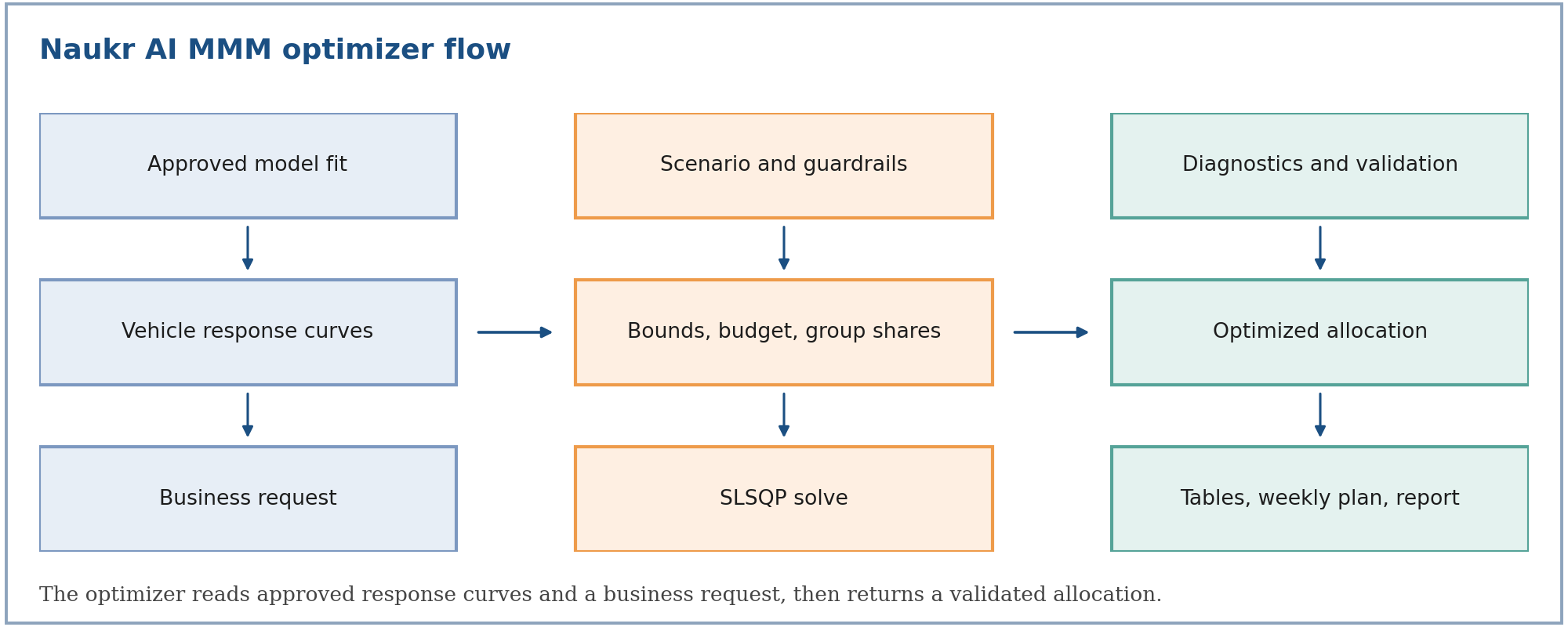
It takes the response curves of an approved Naukr AI MMM and a business request, such as keep the budget flat, raise it by 10%, hold one vehicle fixed, or move at most 15% per vehicle. It returns a deterministic, validated allocation: the best split of budget across vehicles (and, for portfolios, across brands) that respects every guardrail.
Budget optimization is a later-stage use of approved model outputs. It never runs on a model that has not passed the quality gates described in the MMM documentation.
What we offer
| Capability | What it gives you |
|---|---|
| Single brand | Reallocate one brand's budget across its own vehicles, with vehicle-level pins, Traditional / Digital group limits, locks, and a weekly plan |
| Cross brand | Reallocate one combined budget across several independently fitted brands in one joint solve, with brand-level and vehicle-level limits |
| Headless | Run either of the above on a saved scenario against a pinned, approved fit, with no interactive session: start it from a scenario, an agent or the API, and collect the outputs afterwards |
All three share one solver and one set of outputs, so a result means the same thing whichever way it was started.
Objectives
| Objective | Maximizes |
|---|---|
| Volume | Total incremental response (units, conversions, sales volume) |
| Revenue | Total incremental revenue (price per unit times response) |
| Profit | Total incremental profit net of media spend (margin per unit times response, minus spend) |
Business controls
- Total budget: keep it flat, raise it, or cut it by a percentage. The change applies to the movable (unlocked) budget.
- Vehicle limits: a one-sided limit pins a vehicle to exactly that change; a two-sided limit sets a range.
- Group limits: Traditional and Digital totals, with a built-in movement cap.
- Brand limits (cross brand): brand totals, with a built-in movement cap.
- Locks: vehicles that must stay at current spend, such as non-paid media.
- Macro assumptions: media-cost inflation and price inflation, applied to the optimized side of the reporting only.
Outputs
| Output | Content |
|---|---|
| Detailed media analysis | A three-level table (portfolio, group or brand, vehicle) with current vs optimized spend, volume, revenue, profit, ROI and cost per unit |
| Weekly flighting plan | Each vehicle's annual optimum phased across 52 weeks by its own history, tilted toward historically efficient weeks |
| Optimization summary | Solver status, validation gates, constraint adjustments, and the assumptions used |
| Report (PDF) | A business-readable summary with weekly budget charts (one per brand for portfolios) |
Why it matters for business
The optimizer uses the marginal return of each vehicle (what the next dollar buys), not the average return. Average ROI rewards vehicles that are already saturated; marginal ROI finds where extra spend still works. At the optimum, every vehicle that is free to move earns the same marginal return, and vehicles held back by a limit earn more or less than that, which tells you which guardrail is costing you.
It helps teams decide:
- how to reshuffle a flat budget,
- where an extra 10% should go,
- which vehicles to cut first when the budget shrinks,
- whether budget should move between brands.
Where it fits in the product experience
- Fit and approve an MMM (see the MMM documentation).
- The approved fit publishes one response curve per vehicle.
- Create a scenario: objective, budget change, limits, locks.
- Run the optimizer (single brand, cross brand, or headless).
- Review the three-level table, the weekly plan, and the validation gates.
Quick reading guide
| Question | Where to look |
|---|---|
| How are the curves defined and where do they come from? | Methodology |
| How do I reallocate within one brand? | Single Brand |
| How do I move budget across brands? | Cross Brand |
| How do I run an optimization without the UI? | Headless |
What the optimizer does not do
- It optimizes annual spend per vehicle. Carryover is already embedded in each curve; it is not re-simulated week by week.
- It optimizes on each vehicle's fitted mean curve. Credible bands are published for display but do not enter the solve.
- For S-shaped curves the problem is not concave, so the solver returns a local optimum and reports whether it converged and passed validation.
- It does not check that response units match across brands. Cross-brand results are only meaningful when every brand's response and unit value are on the same basis.
Related documentation
- Methodology — curves, objectives, constraints, solver, diagnostics, weekly phasing (
mmm-optimizer-methodology) - Single Brand — one brand's budget across its vehicles (
mmm-optimizer-single-brand) - Cross Brand — one combined budget across brands (
mmm-optimizer-cross-brand) - Headless — saved scenarios run without an interactive session (
mmm-optimizer-headless)